v0.8.0 · 现已发布v0.8.0 · Now Available

选中即译 Select & Translate
AI 驱动的桌面翻译工具 AI-powered desktop translation

选中任意文字,按下快捷键,即刻获得流式 AI 翻译。支持 DeepSeek、豆包,公式完美渲染。

Select any text, press your hotkey, get instant streaming AI translation. Supports DeepSeek, Doubao, and LaTeX math.

立即下载Download GitHub
App screenshot

专为效率而生Built for Efficiency

每一个细节都经过打磨,让翻译融入你的工作流。

Every detail crafted to make translation invisible in your workflow.

全局快捷键Global Hotkey

默认 Alt+F1,任意界面选中文字即可触发,无需切换应用。可在配置文件中自定义快捷键。Default Alt+F1 — trigger from any app without switching windows. Fully customizable in the config file.

流式输出Streaming Output

基于 SSE 实时渲染,翻译结果逐字呈现,无需等待。SSE-based real-time rendering — results stream in word by word.

公式渲染Math Rendering

Markdown + KaTeX 完整支持,数学公式完美呈现。Full Markdown + KaTeX support for beautiful math formula rendering.

多模型支持Multi-Model

支持 DeepSeek 与火山引擎豆包,托盘菜单一键切换。DeepSeek and Volcengine Doubao, switchable from the system tray.

智能提示词Smart Prompts

单词自动给出词典释义,短语与句子自动切换翻译模式。Single words get dictionary definitions; phrases get translations.

自动更新Auto Update

内置更新检测,新版本发布后自动提示,一键升级。Built-in update checker notifies you when a new version is available.
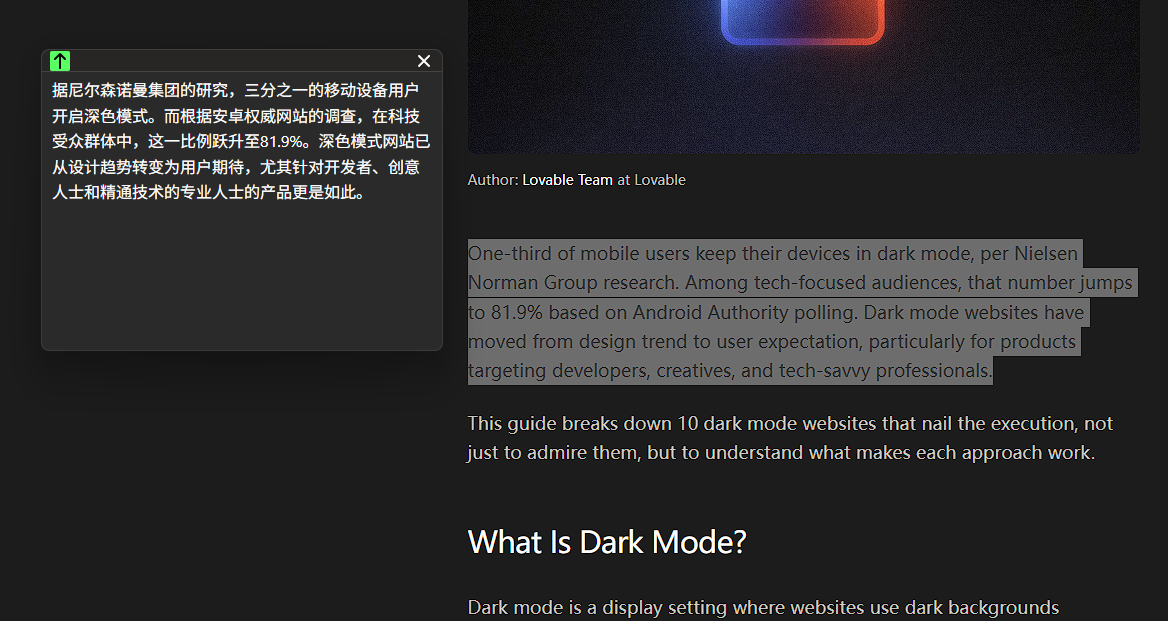
选择你的平台Choose Your Platform

支持 Windows、macOS 和 Linux,开箱即用。

Available for Windows, macOS, and Linux — ready to use out of the box.

Windows

x64 · Windows 10+

下载 .exeDownload .exe

macOS

Apple Silicon · ARM64

下载 .dmgDownload .dmg

三步上手Up in Three Steps

从安装到第一次翻译,不超过两分钟。

From install to first translation in under two minutes.

1

安装并启动Install & Launch

下载对应平台安装包,安装后启动,图标出现在系统托盘。Download the installer for your platform — after launch, the icon appears in the system tray.

2

配置 API KeySet API Key

编辑 ~/.local/translate/config.toml,填入 DeepSeek 或豆包的 API Key。Edit ~/.local/translate/config.toml and add your DeepSeek or Doubao API key.

3

选中文字,按下快捷键Select Text & Press Hotkey

选中任意文字,按 Alt+F1,翻译窗口即刻弹出。Select any text, press Alt+F1, and the translation window pops up instantly.

快捷键Shortcut 功能Action
Alt+F1触发翻译Trigger translation
Esc关闭翻译窗口Close translation window
Alt + 拖拽Alt + Drag移动翻译窗口Move translation window

个性化你的界面Personalize Your UI

将 CSS 文件放入 ~/.local/translate/theme/,托盘菜单即可切换。

Drop a CSS file into ~/.local/translate/theme/ and switch from the tray menu.

12 款内置主题12 Built-in Themes
Dracula、Nord、Gotham、Cobalt 等,也可自定义 CSS 主题。Dracula, Nord, Gotham, Cobalt and more — or write your own CSS theme.
查看全部主题 →Browse Themes →